Fuel targets explained
The nutrition tracker shows a daily calorie target on every plan. Protein, carbohydrate, and fat targets, and the carbohydrate timing on the weekly fuel plan, are part of Plus.
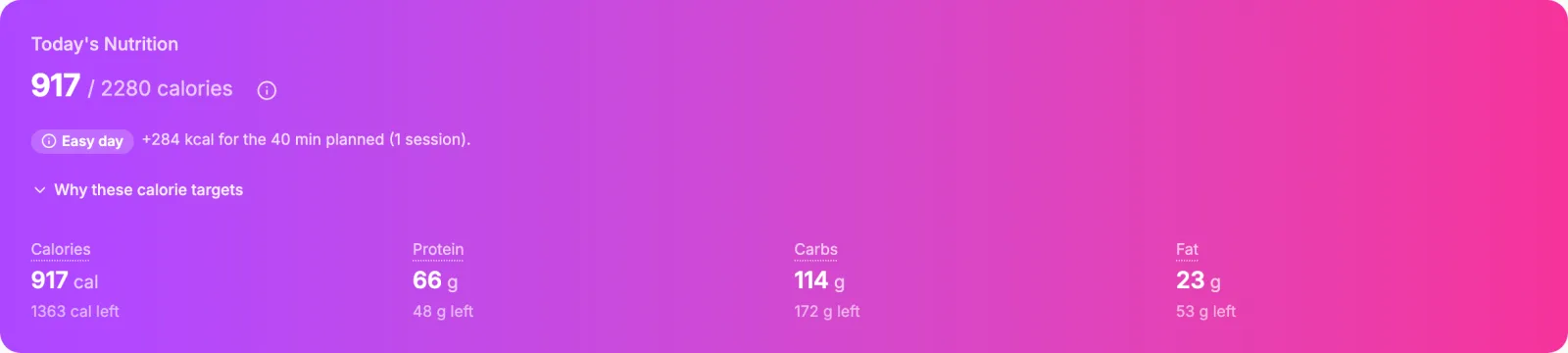
Where the baseline comes from
The target starts from a baseline for a rest day, chosen from the first of these that applies. The info icon next to the target names which one is in use, for example Times 1.4 because you told us you sit most of the day.
| Rung | Used when | How |
|---|---|---|
| Your own number | You chose I set my own in Settings | Your rest-day calories, exactly. |
| Calibrated | VegaLoop has enough weight history against logged intake | Measured from how your weight has moved against what you ate. |
| Steps | A device has sent steps within the last 3 days | A 14-day step average sets the multiplier: under 5,000 a day is sedentary, up to 7,500 light, up to 10,000 moderate, 10,000 and over active. |
| Your answer | Nothing else applies | Resting energy times a multiplier from your Movement outside workouts answer on your profile: from 1.4 for mostly sitting, through the on-your-feet options, to 1.7 for a physical job. Unanswered counts as mostly sitting. |
The card’s source line names the rung in use: Set by you, Measured from you, From your steps, From your profile, From your saved target, or Platform default when nothing is known yet. These rungs and the day classes below are defined in the glossary.
Resting energy comes from your height, weight, age, and gender, with an athlete formula taking over as you train more than a few hours a week. With no profile at all the default is 2,000 kcal.
What shapes each day
- Training is added on top. Each day is classed from your calendar and your logged sessions: rest, easy, moderate, hard, key, pre-fuel (the day before a session of 90 minutes or more), carb load (the two days before a session of 3 hours or more, or a race), or recovery. The chip on the card names the class.
- Protein is 1.6 g per kg of body weight, or 2.0 g during a weight-loss goal.
- Fat is never below 20 percent of calories.
- Carbohydrate fills the rest, timed to the sessions: more on hard and key days, a loading rule before long ones.
- A weight goal takes its deficit on rest and easy days only, never on key, pre-fuel, or loading days, and never more than 1,000 kcal on one day. Loss is capped at 1 percent of body weight and 1 kg a week; gain at 0.5 kg a week.
- The baseline moves at most 100 kcal a week, so a new answer or a new scale reading changes the target gradually.
- Calories never go below resting energy, whatever the goal.
- Water and fiber have their own targets in Settings and are not part of this plan.
It looks too high or too low
Check Movement outside workouts on your profile first. It is the most common reason for a target that feels off, and an answer given to an older version of the question counts as unanswered. Then check the goal direction from the setup wizard: a weight-loss goal lowers the target, a performance goal does not.
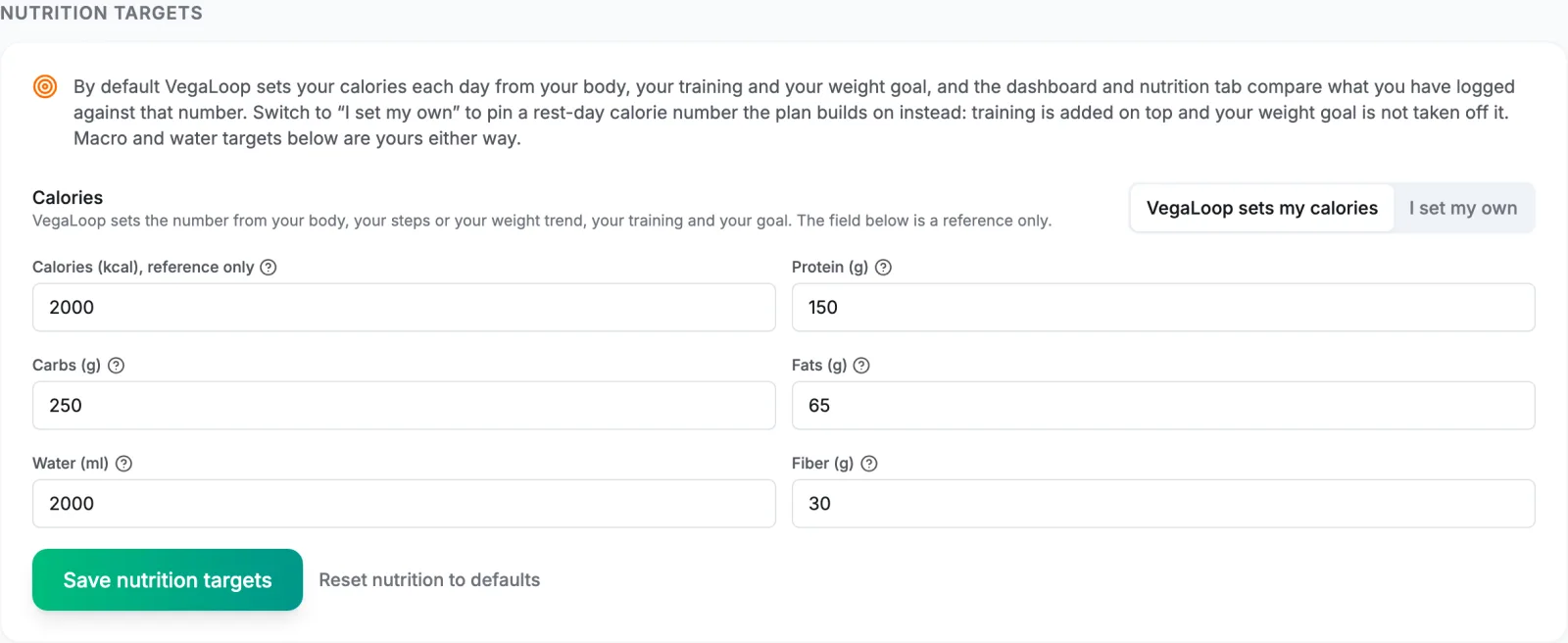
If you have a number from a dietitian or coach, switch to I set my own under Nutrition Targets in Settings and enter it. Training is still added on top, no weight-goal deficit or surplus is applied, and the plan never raises your number. Where the automatic plan would have differed, the fuel plan says so, with the figure it would have used. A weight-gain goal shows the same way: the calorie number you set in Settings overrides it. What the target will never do, whatever the goal, is in VegaLoop and your health.
Using the target
- Log meals, not just totals. The search, the barcode scanner, and custom foods in the nutrition tracker give you a breakdown, and the macro targets need that breakdown.
- Treat the daily number as an average over the week. Training days and rest days are meant to differ.
- Three days more than 20 percent under target lowers tomorrow’s readiness recommendation by a step, so log what you actually ate.
