Training programs
A program is a multi-week schedule of sessions placed on your training calendar. Find them under Workouts, in the Training Programs tab of the Workout Library.
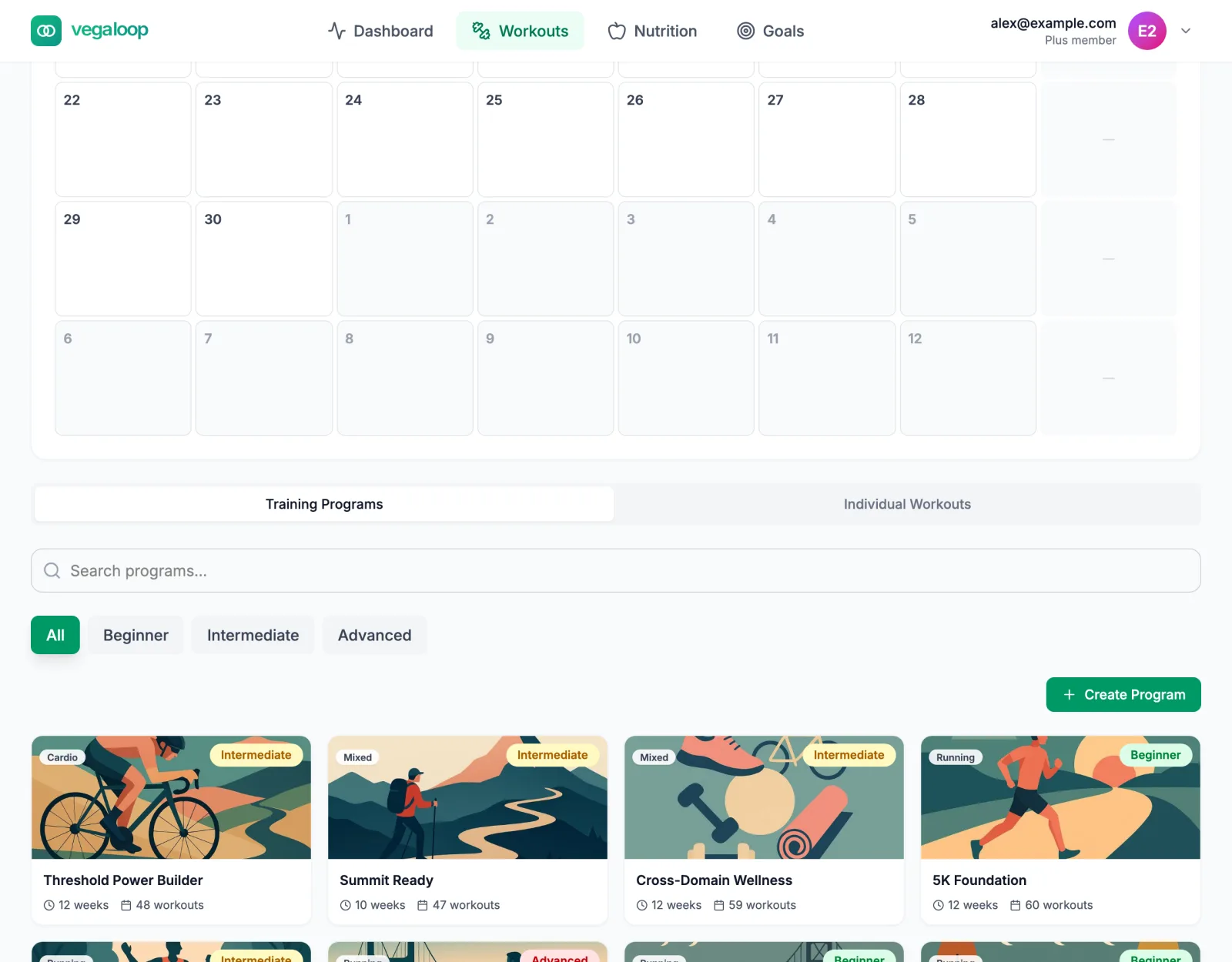
What is in the library
| Program | Sport | Level | Length |
|---|---|---|---|
| 5K Foundation | Running | Beginner | 12 weeks |
| Half Marathon | Running | Intermediate | 14 weeks |
| Marathon | Running | Advanced | 18 weeks |
| Post-10-Mile Recovery, Post-Half-Marathon Recovery, Post-Marathon Recovery | Running | Beginner | 2 to 3 weeks |
| Threshold Power Builder | Cycling | Intermediate | 12 weeks |
| Swim Threshold Progression | Swimming | Beginner | 10 weeks |
| Novice Linear Progression | Strength | Beginner | 12 weeks |
| Strength Wave Cycle | Strength | Intermediate | 16 weeks |
| Summit Ready | Hiking and strength | Intermediate | 10 weeks |
| Cross-Domain Wellness | Mixed | Intermediate | 12 weeks |
| Foundation to Flow | Yoga | Beginner | 8 weeks |
Filter by level or search by name. Programs marked Plus open on Free so you can read them, but scheduling one shows This program is part of Plus. Upgrade to schedule it onto your calendar.
Reading a program
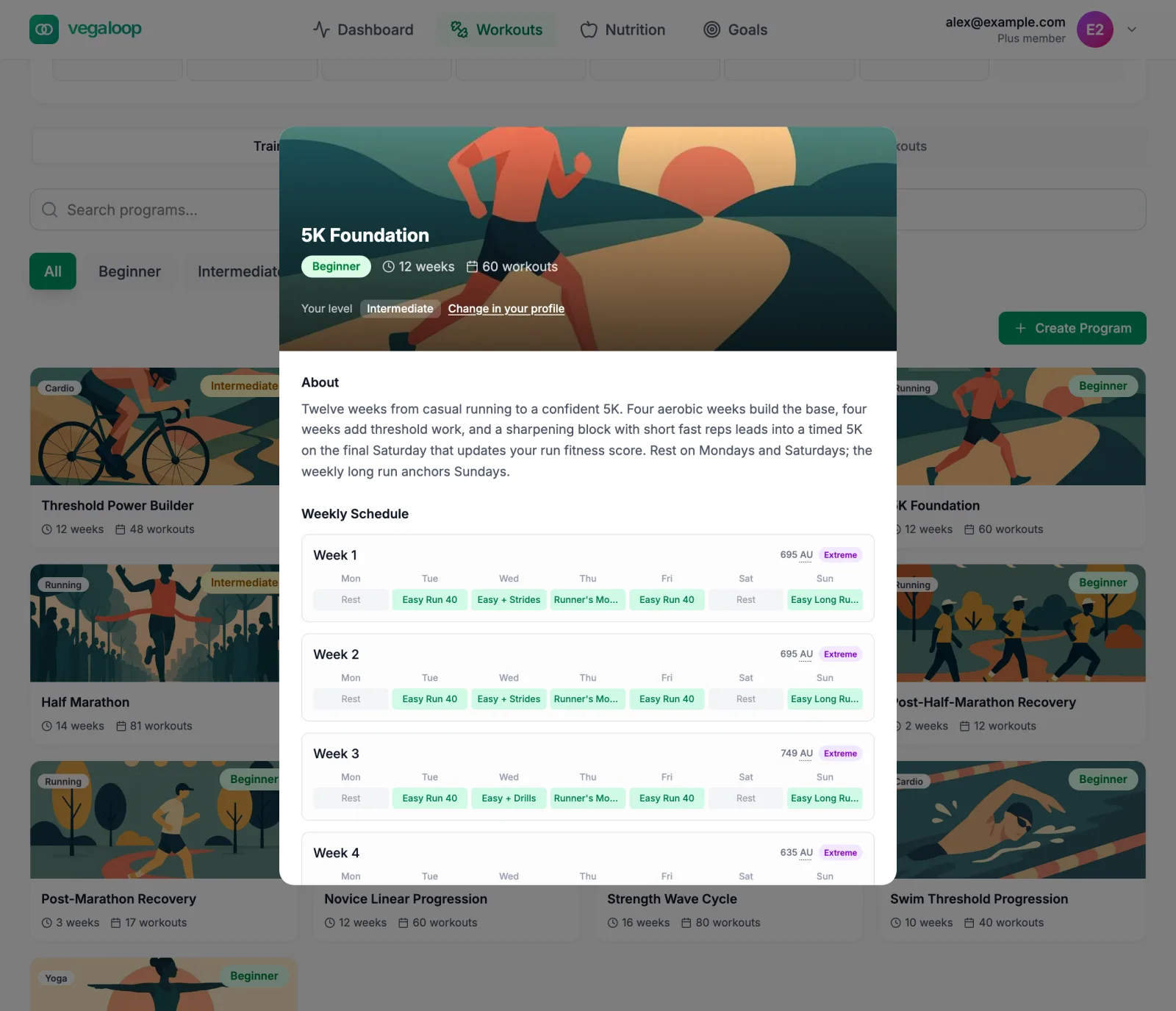
Open a program to see:
- its level, length, and number of workouts;
- Your level for that sport, taken from your profile, with a link to change it;
- About: what the weeks build toward and how build and recovery weeks alternate;
- Weekly Schedule: every week with each day’s session and the week’s load, labelled from light to extreme.
How your level shapes it
When you schedule a program, every session is personalised from your sport profile: running paces from your effective VO2, cycling targets from your threshold power, swim paces from your critical swim speed, strength weights from your one-rep maximums, and heart rate zones from your heart rate values. Distances and repeats ramp from about 60 percent of the goal in week 1 to the full amount in the final week. Set your level before scheduling; a program scheduled at the wrong level is paced wrong for its whole length.
Scheduling a program
Select Schedule to Calendar
The dialog says how many workouts will be placed over how many weeks.
Choose a start date
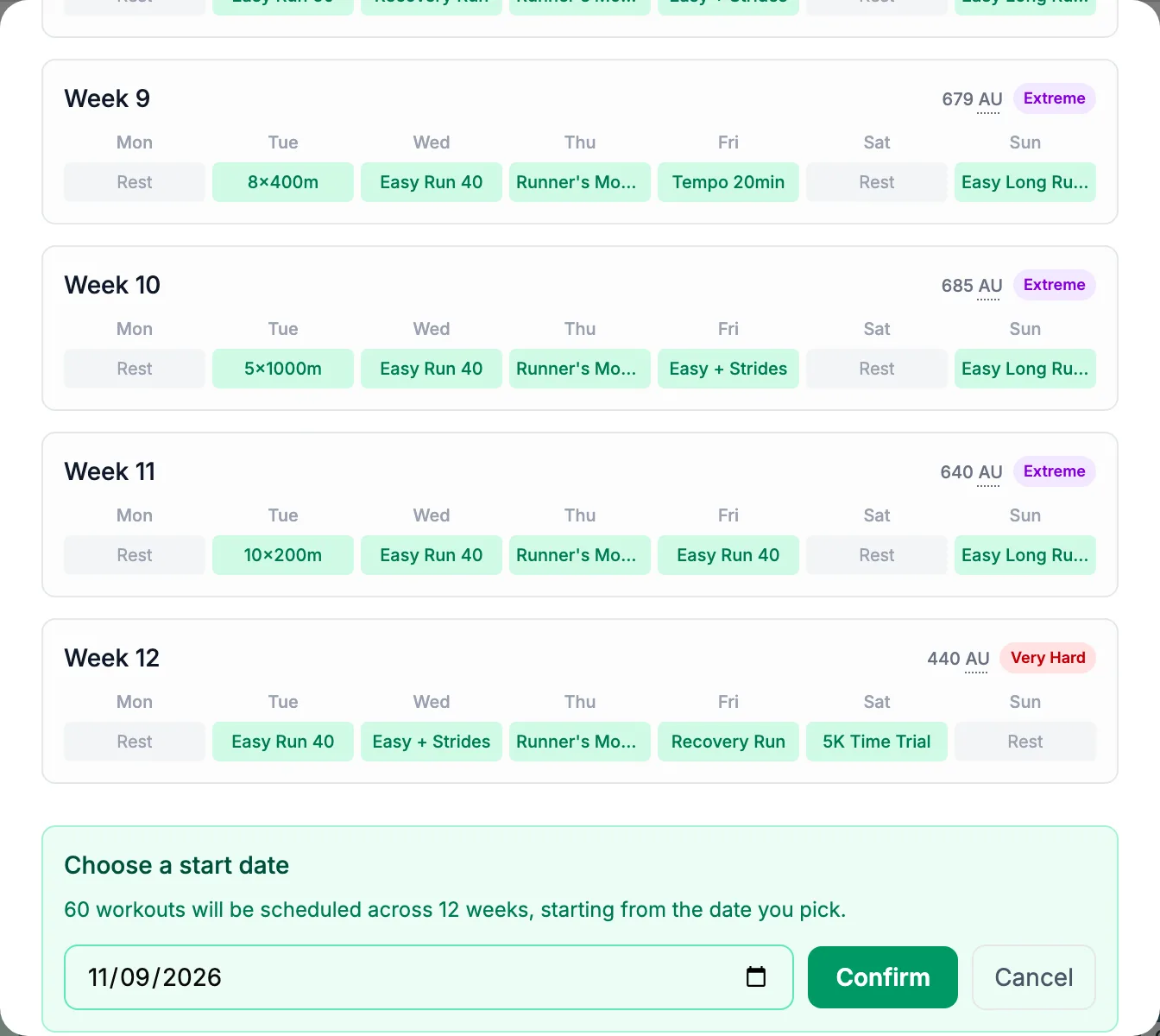
The picker defaults to next Monday. Weeks are counted from the date you choose.
Confirm
Every session is placed on the calendar as Pending, with rest days marked. The weekly load projection on the Training Load page now uses them.
A program can also be scheduled by a goal: race goals in the Goals marketplace schedule their program when you start the goal with Schedule on Calendar switched on.
Following a program
- A synced or logged workout that matches a session (same day and type, within 2 hours of the planned time, within half the planned duration) marks it Done on its own. See Plan sessions that complete themselves.
- Open a session to Mark Complete without details, Log with Details for what you actually did, change its date, or mark it as a race.
- Move a session by dragging it to another day on a laptop, or by changing its date.
- On Plus, a missed session may bring a suggestion to move it; a session is moved to another day and never placed on top of another session. See Let a missed session go.
There is no single “finish program” action: a program is done when its sessions are done. To stop one, delete its remaining planned sessions from the calendar; completed sessions stay in your history.
Programs on your watch
If Garmin or Suunto is connected with workout push on, planned sessions are sent to the watch: as calendar workouts on Garmin, and as guides on Suunto with step names shortened to 13 characters. Other providers receive nothing; you follow the session from the app. Check the Workout push line in the provider’s Manage panel.
Build your own
Create Program opens the program builder: a name, a type, a length from 1 to 52 weeks, how many build weeks precede each recovery week, a weekly volume increase from 1 to 20 percent, and the workout for each day of each week, chosen from the library or your own builds. Save Program adds it to your programs; schedule it like any other. The builder is covered in Build your own workouts and programs, and how your measured values set a program’s paces in Fitness tests and thresholds.