Insights and suggestions
On Plus, the dashboard shows cards built from what you log and sync. They appear in two places: the Suggestion card above the quick actions, and the insights block below the vitals. On Free the block is a single panel, Unlock training insights, with an Upgrade to Plus button, and no suggestion cards appear.
Insight cards
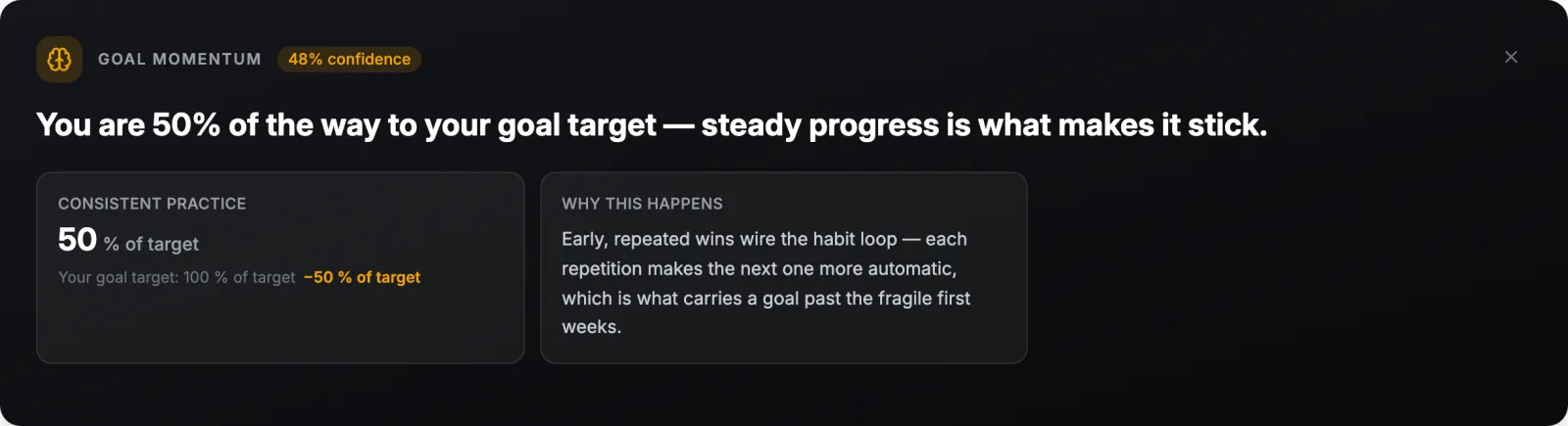
When a pattern is found across your training, nutrition, sleep, or goals, a card appears with a title, a confidence label, what the pattern is, why it is happening, and a suggestion. Each card stays for 2 to 7 days and is then removed. Close it with the X to dismiss it early; it returns if the pattern persists. A weekly fuel card summarises how the week’s calorie and carbohydrate targets will move with your sessions. With nothing to report the block reads No new insights right now. Keep logging and syncing, and they will appear as patterns emerge.
Readiness breakdown, trends, and intraday heart rate
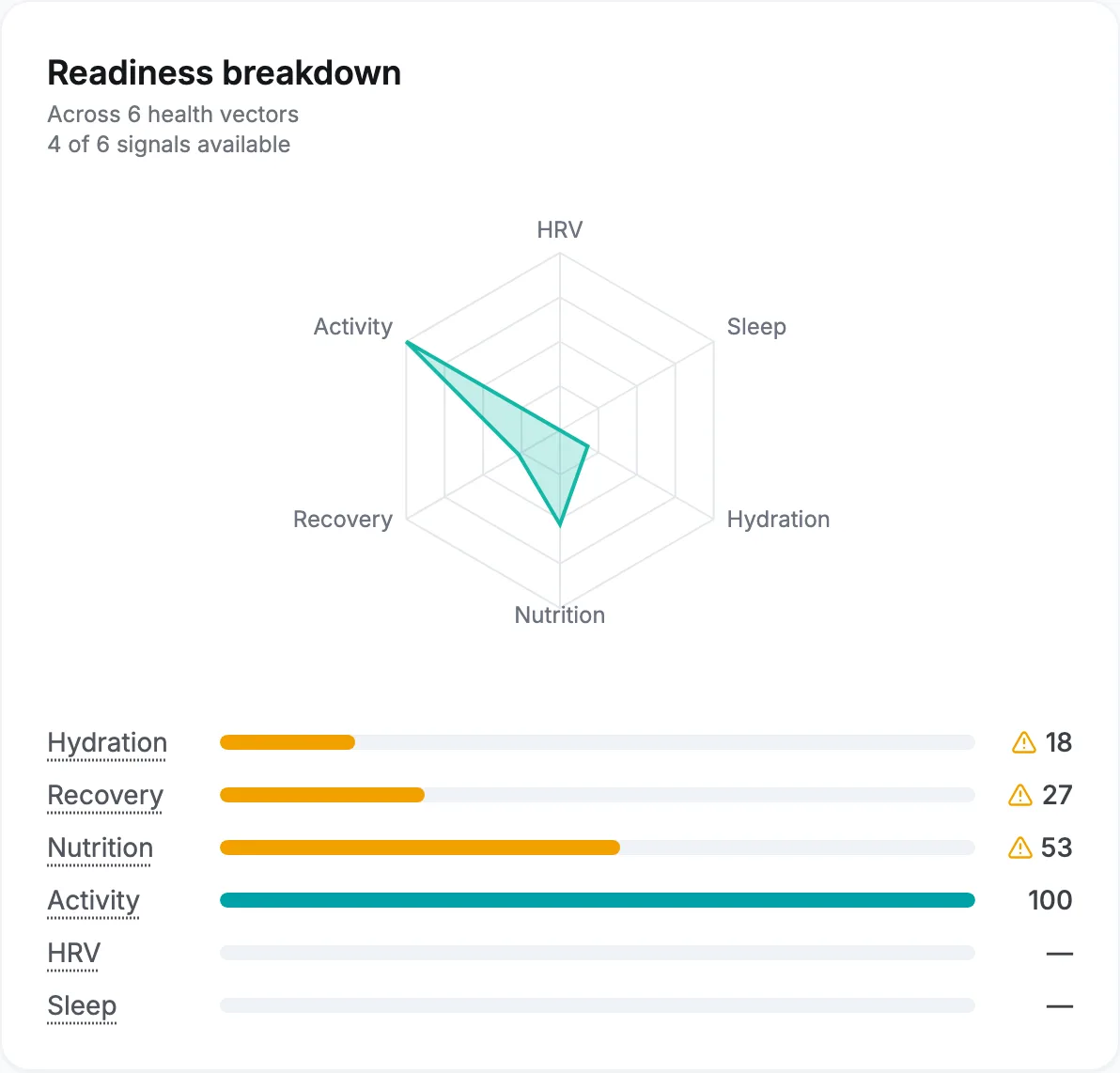
The breakdown scores each signal behind readiness from 0 to 100: heart rate variability and resting heart rate, sleep against a 7.5 hour reference and your recent sleep debt, fuel, hydration, training load, and activity. A signal with no data is left out rather than guessed, and the card says how many signals it had. 7-Day Trends plots performance, hydration, or sleep over the last week. The intraday chart draws today’s heart rate from your device and reads No intraday data yet today until one arrives.
Suggestion cards
A Suggestion for today or Suggestion for tomorrow card appears when:
- readiness is low and your morning check-in agrees;
- the calendar has a session you missed in the last 7 days that can still be fitted in;
- the week ahead would push you into deep fatigue (the card reads Planned overreach: check in with yourself).
Each card offers Accept and Not today; a card about a past session offers Leave it instead. After accepting, the card reads Applied to today’s session (or tomorrow’s, an earlier one, or one later this week) with an Undo button, and says what changed:
| What changed | Meaning |
|---|---|
| You’re doing an easier version | The session is kept with lower targets. |
| You swapped to a recovery session | The session is replaced by a recovery one. |
| You took a rest day | The session is removed for today. |
| You let this session go | A missed session is dropped with nothing to catch up. |
| You moved this session | The session is on a new day. |
| You moved and shortened this session | A missed long session is on a new day at about two thirds of its length. |
A session marked This is a race is never touched. If the calendar changed since the card was made, Accept says This suggestion is no longer current and the card refreshes. The rules behind missed-session suggestions are in Let a missed session go.
What it uses
Insights and suggestions depend on the data available. Sleep and heart rate variability from a watch or ring, meals logged most days, a ZIP code for the weather, and the morning check-in each add a signal the cards use. See Check in every morning and Understand your readiness.