Goals and challenges
Open Goals in the top bar. Every goal starts from a template in the marketplace; there is no blank goal form.
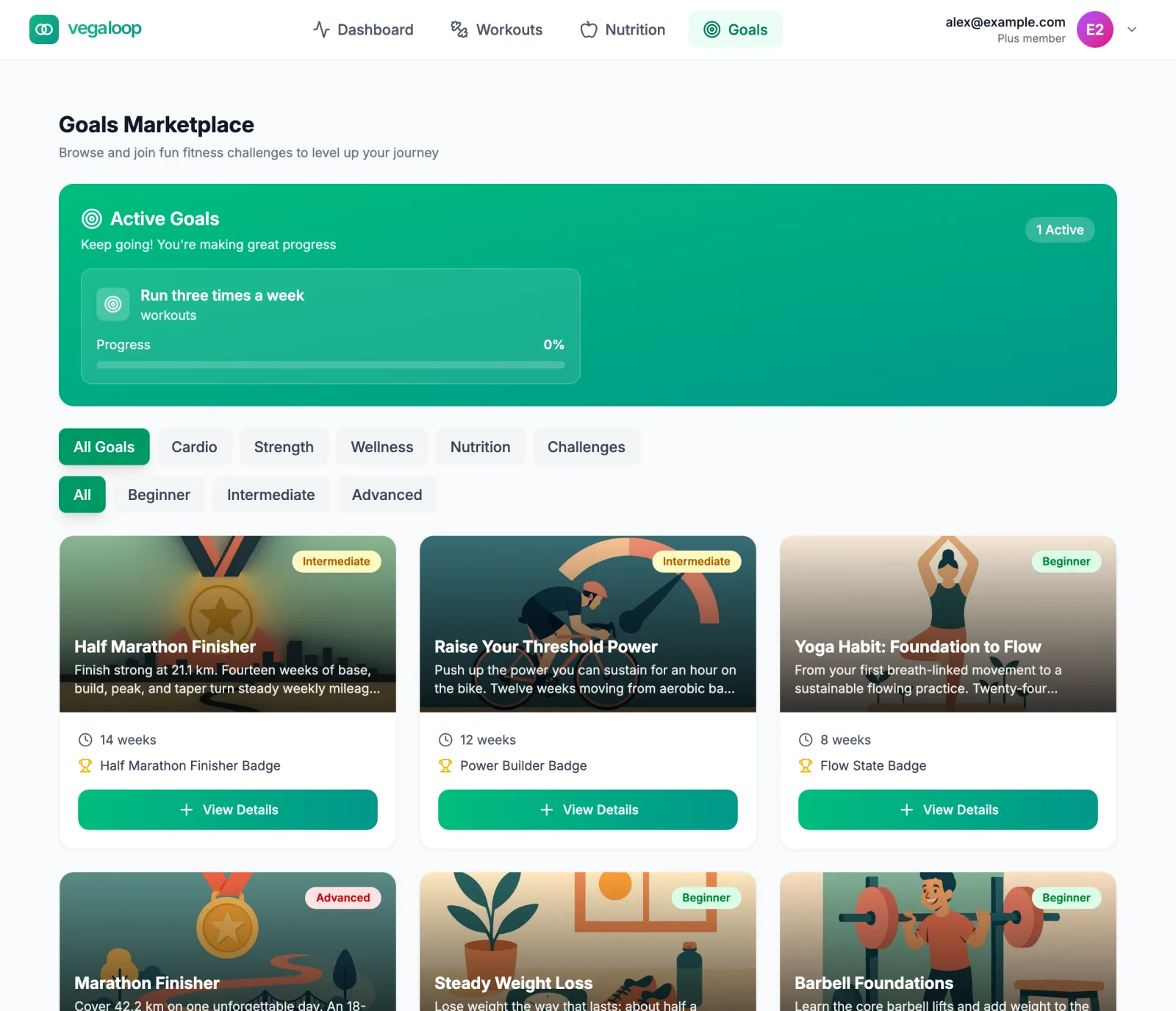
The marketplace
Templates are grouped as Cardio, Strength, Wellness, Nutrition, and Challenges (single efforts such as 100 push-ups), and labelled Beginner, Intermediate, or Advanced. Each card shows the length and the badge you earn. A Plus lock on a card means the template needs Plus and the button reads Upgrade to Plus; Coming soon means it can be read but not started yet.
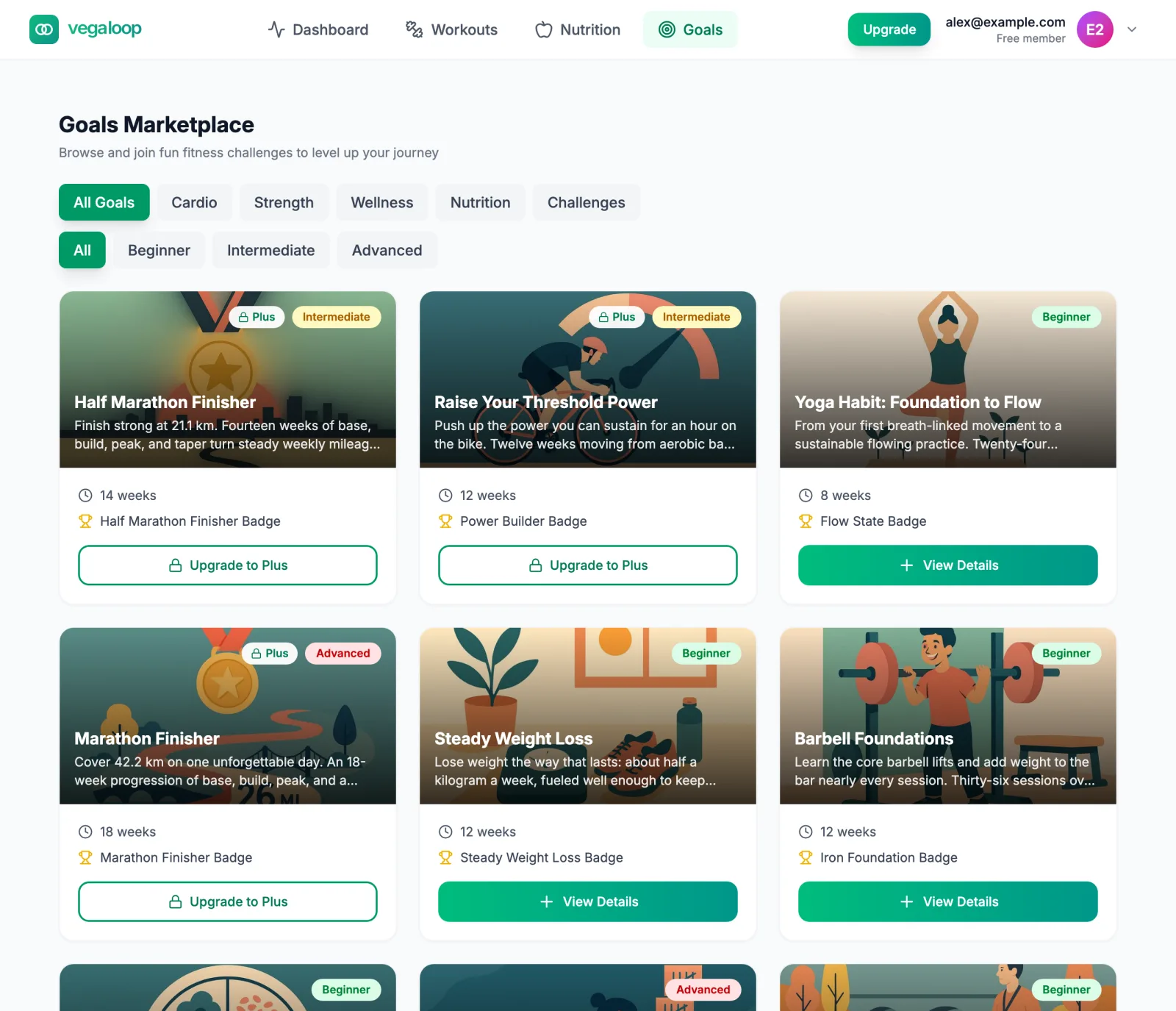
The library runs to about twenty templates: race goals (Run Your First 5K, Half Marathon Finisher, Marathon Finisher), recovery goals for after a race, strength blocks, habit goals such as Hydration Habit, Sleep Steady, and Protein Consistency, and body goals such as Steady Weight Loss and Resting Heart Rate Trend. Active goals sit in a banner at the top with up to four shown, and Recently Completed lists the last six.
Reading and starting a challenge
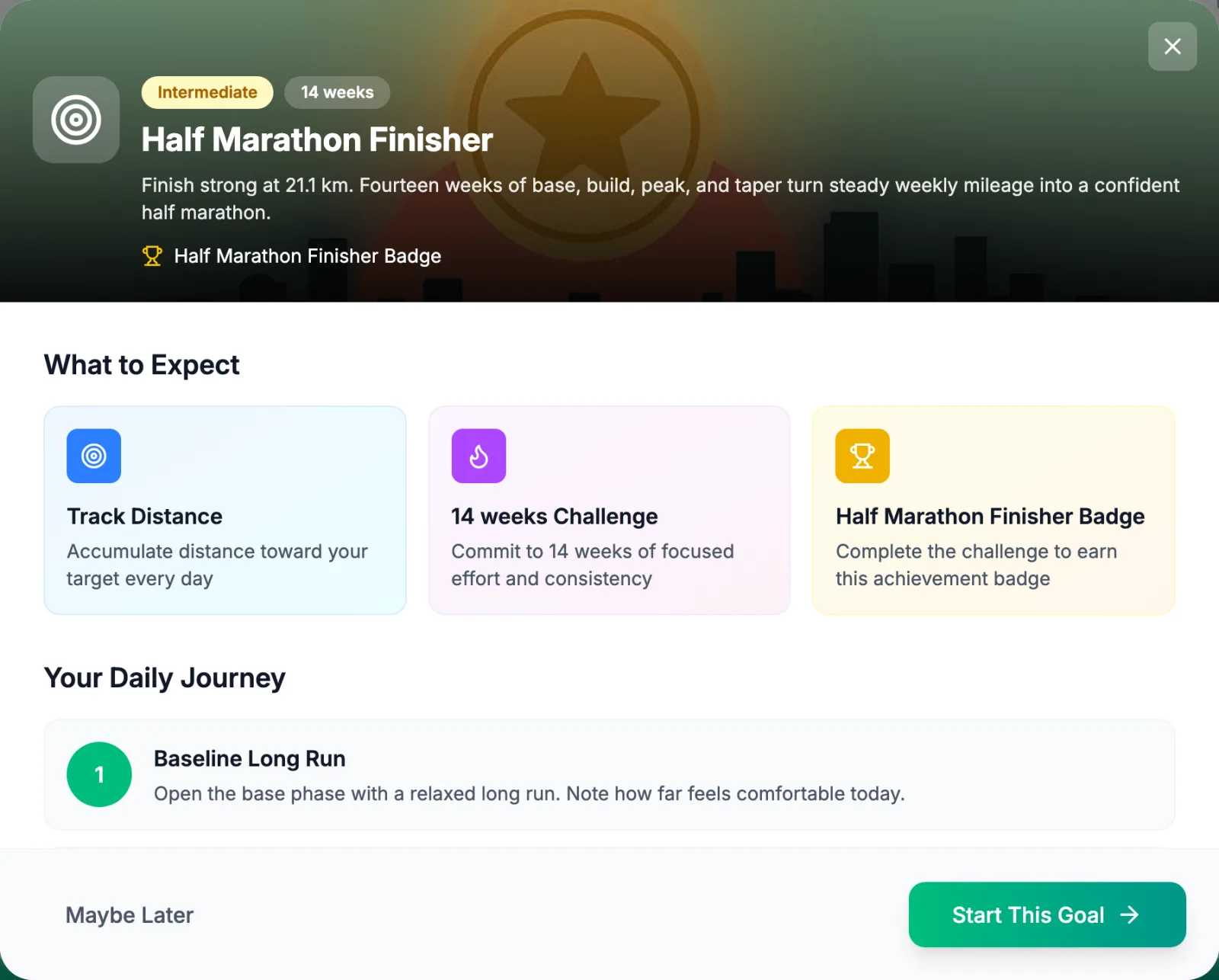
View Details opens the template:
- What to Expect: what is tracked (distance, sessions, meals, weight), how long it runs, and the badge.
- Your Daily Journey: the steps in order.
- Tips for Success: how people who finish it tend to approach it.
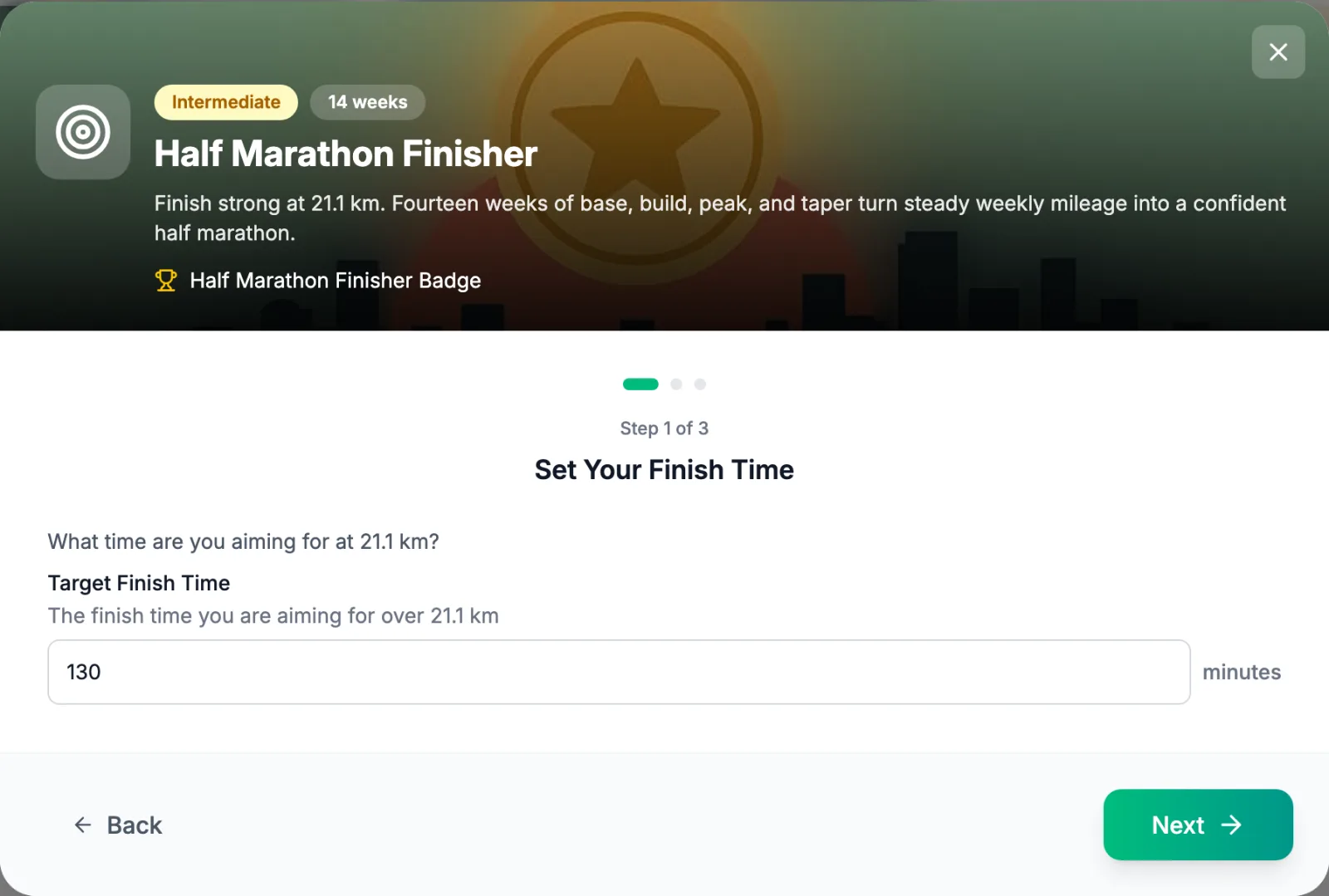
Start This Goal opens a short wizard; each template sets its own steps. The first sets the template’s targets (a finish time for a race goal, a weight or a weekly count for others). The last, Confirm and Start, picks the Goal Date and, for templates with a linked program or meal plan, a Schedule on Calendar switch that places every session or meal when the goal starts. The post-race recovery templates ask Which race did you run? and a Race Day up to 14 days in the past; their plan starts the morning after that day. If the program could not be scheduled, the goal still starts and the app tells you to schedule the program by hand from the Workouts tab. See Training programs and Recipes and meal plans for what a scheduled program or plan does.
Active goals
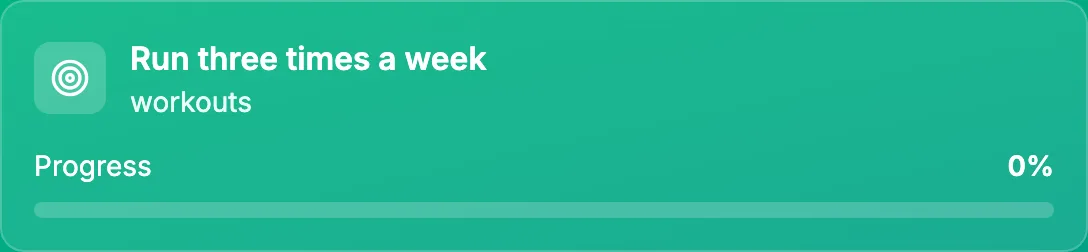
Open an active goal for its details.
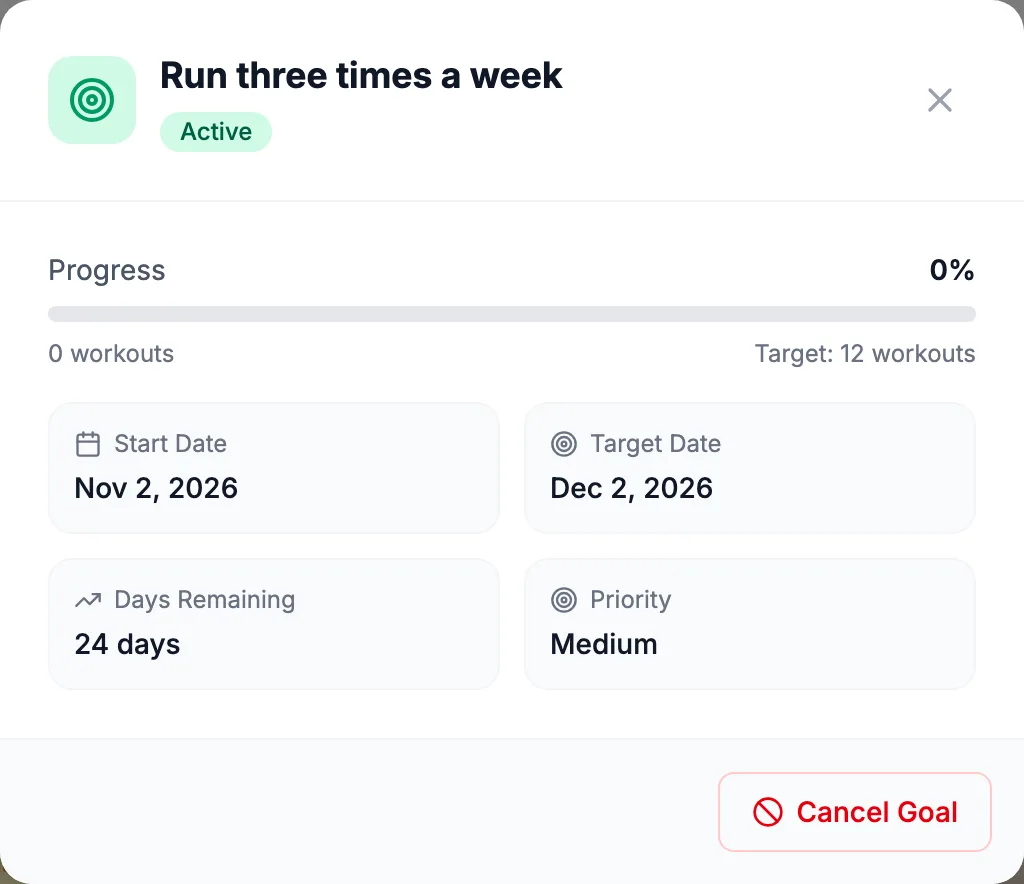
The detail shows Start Date, Target Date, Days Remaining (or Overdue), and Priority. Progress on an automatic goal updates from what you log and sync; a goal tracked by hand has a Record Progress field with Save, also reachable from the dashboard’s goal card.
Statuses
| Status | Meaning |
|---|---|
| Active | Running and counting. Shown in the Active Goals banner. |
| Completed | Target reached. Shown under Recently Completed; the badge stays on your account. Restart Goal starts it again with the dates and progress reset. |
| Cancelled | You cancelled it. It leaves the Goals page at once and is removed from your account after 90 days. |
| Failed | The target date passed without the target. Failed goals are not shown on the Goals page and are removed after 90 days. |
There is no pause. A goal is either running or cancelled. If you stop logging for a while, leave it running: progress stays where it is until you log again, and the goal ends only when the target is reached, the target date passes, or you cancel it.
How progress is measured
A template fixes what it measures: workouts per week, distance, duration, calories burned, weekly training load, fitness, pace, power, a nutrition intake, water, weight, body fat, muscle mass, or resting heart rate. Progress is a percentage toward the target. Nutrition goals count days: a day counts only if your intake met the threshold, and days with no meals logged are skipped rather than failed. Water goals track automatically from the dashboard’s Hydration tile. See Set goals that track themselves.
Limits
Free accounts can have one active goal; starting or restarting another shows More active goals with Plus. Plus removes the limit and unlocks the Plus templates. Goals already active when a Plus subscription ends stay manageable.
Campaign links
A link from a VegaLoop campaign (one with ?camp= in the address) opens the Goals page filtered to that campaign’s templates, with Showing N goals picked for this campaign and a Show all goals link. Signed-out visitors on such a link are sent to sign up first.