Your account and data
Change your password
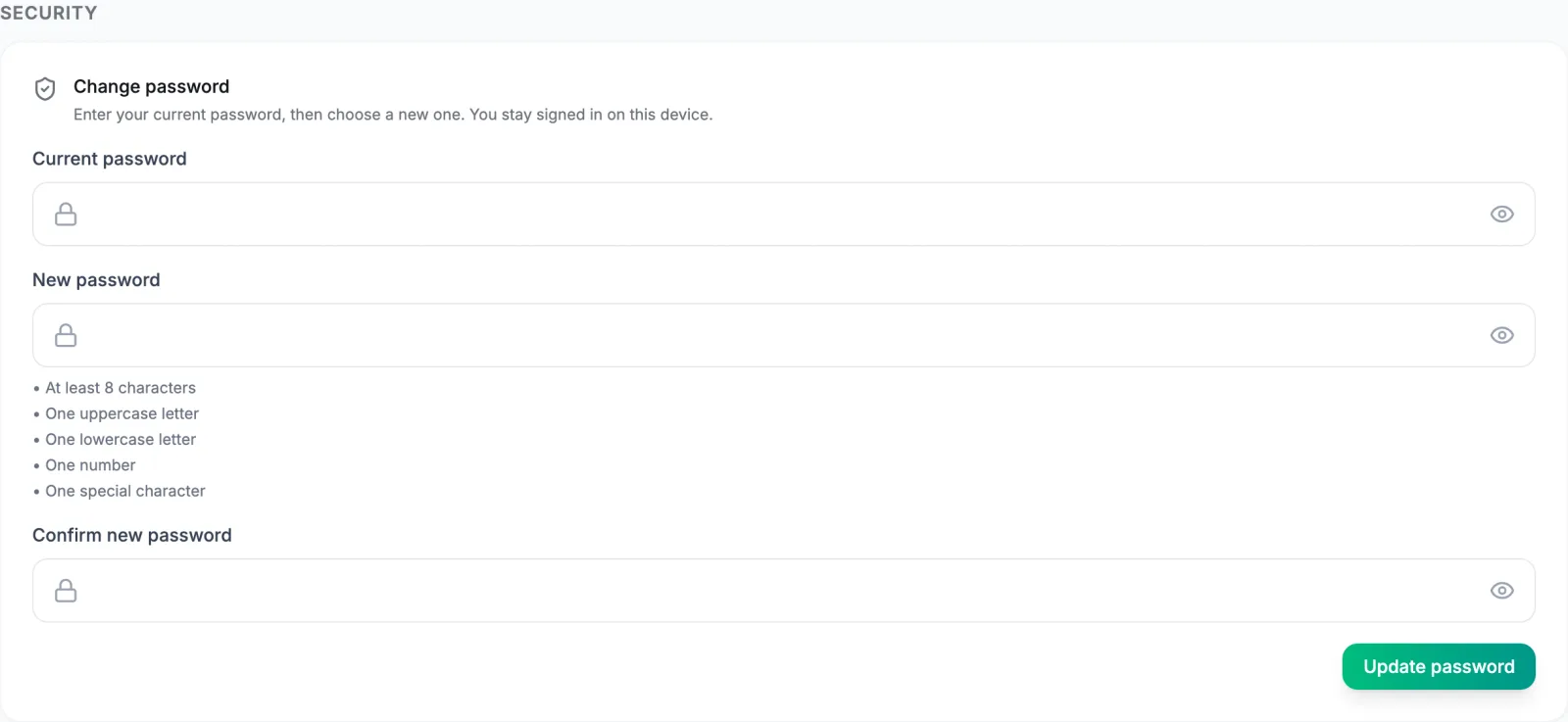
Open Settings, then Security. Enter the current password, a new one that meets the rules shown (8 or more characters with an uppercase letter, a lowercase letter, a number, and a symbol, and different from the current one and from passwords you used before), confirm it, and select Update password.
You stay signed in here, and the confirmation says so: other browsers where you are signed in stay signed in until their sessions expire. Too many wrong current passwords in a row locks the form for a few minutes.
If you signed in with Google or Apple, this section explains that there is no VegaLoop password to change. Keep using that button.
If you have forgotten it, use Forgot password? on the sign-in page. That flow is different: completing a reset signs out every other session. See Cannot sign in.
Sessions and signing out everywhere
A session lasts up to 7 days. Keep me signed in keeps it across browser restarts for that long; without it, closing the tab ends it. Google and Apple sign-ins always end with the tab. There is no list of sessions to review and no two-factor authentication today.
Log Out ends the session in that browser only; another browser or tab you left signed in stops working at its next hourly refresh, not immediately. To sign out everywhere at once, reset your password from the sign-in page: completing a reset revokes every other session. Changing the password from Settings does not. See Cannot sign in for the reset steps.
If you think someone else has your password: reset it (which signs them out), check the email on the account is still yours, and contact support from that email with the time you noticed.
Export your data

Export my data in Settings produces one JSON file of everything on the account: profile, biometrics, workouts, meals, goals, dashboard history, insights, billing, and connected-device records, including insight data that Free screens do not show. Timestamps carry their timezone offset, and daily entries carry the local date they were filed on. It downloads immediately as vegaloop-<your id>-<time>.json; nothing is emailed. It works on every plan.
If part of your data could not be fetched, the file name starts with PARTIAL- and the page names the missing section. Retry for a complete file. There is no CSV export and no API. Your rights beyond the buttons are in Your privacy rights.
Delete your account
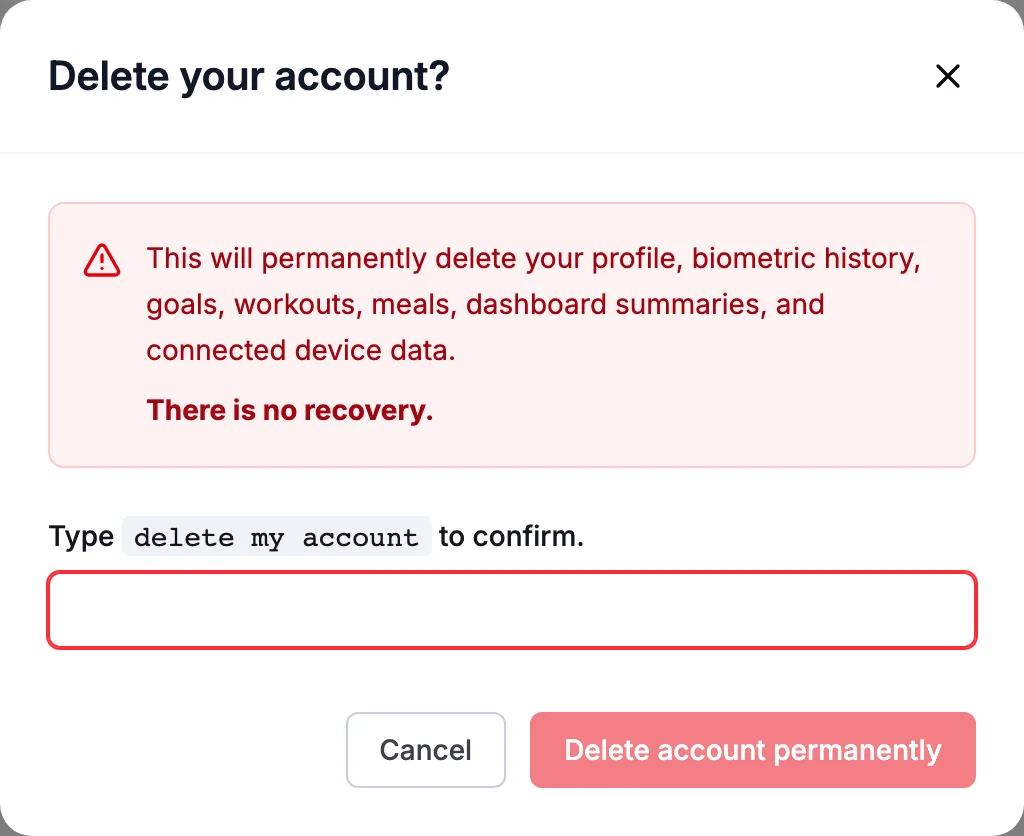
Select Delete account in Settings. The confirmation, Delete your account?, lists what goes: your profile, biometric history, goals, workouts, meals, dashboard summaries, and connected device data, including uploaded photos and the raw files from your devices. Type delete my account to enable Delete account permanently.
Deletion starts immediately and cannot be undone. There is no grace period. When it completes you are signed out and returned to the sign-in page. If it fails, the error shows next to the button and you stay signed in to retry; one known cause is Stripe being unreachable, since your billing record is removed first.
Before you do:
- Export first if you want to keep anything.
- Cancel Plus first if you are on it. Your Stripe customer record is removed with the account, and invoices stay with Stripe as the financial record. Deleting the account does not refund the current period; see Billing policies.
- Google sign-in keeps its grant on your Google account; remove VegaLoop under Google Account, Security, Third-party access to revoke it.
What is kept after deletion
Backups keep a copy for a limited time and are not used to restore individual accounts:
| Copy | Kept for |
|---|---|
| Database recovery and daily backups | 35 days |
| Weekly backups | 180 days |
| Sign-in directory exports | 90 days |
| Invoices and payment records | Kept by Stripe as the financial record |
See the Privacy Policy and the Consumer Health Data Privacy Policy.
Disconnect a device without deleting the account
Go to Settings, Connect a Device, and select Disconnect on the card. Data that already synced stays. To remove it as well, contact support from the email on your account.