Set up your profile
Open Profile from the account menu. The values here are used for calorie targets, training load, program pacing, readiness, and the weather forecast.
Profile photo
Select the photo circle to upload a picture. JPEG, PNG, or WebP, under 5 MB. It shows on the Profile page; the header and account menu keep showing your initials. A photo can be replaced but not removed.
Personal Information
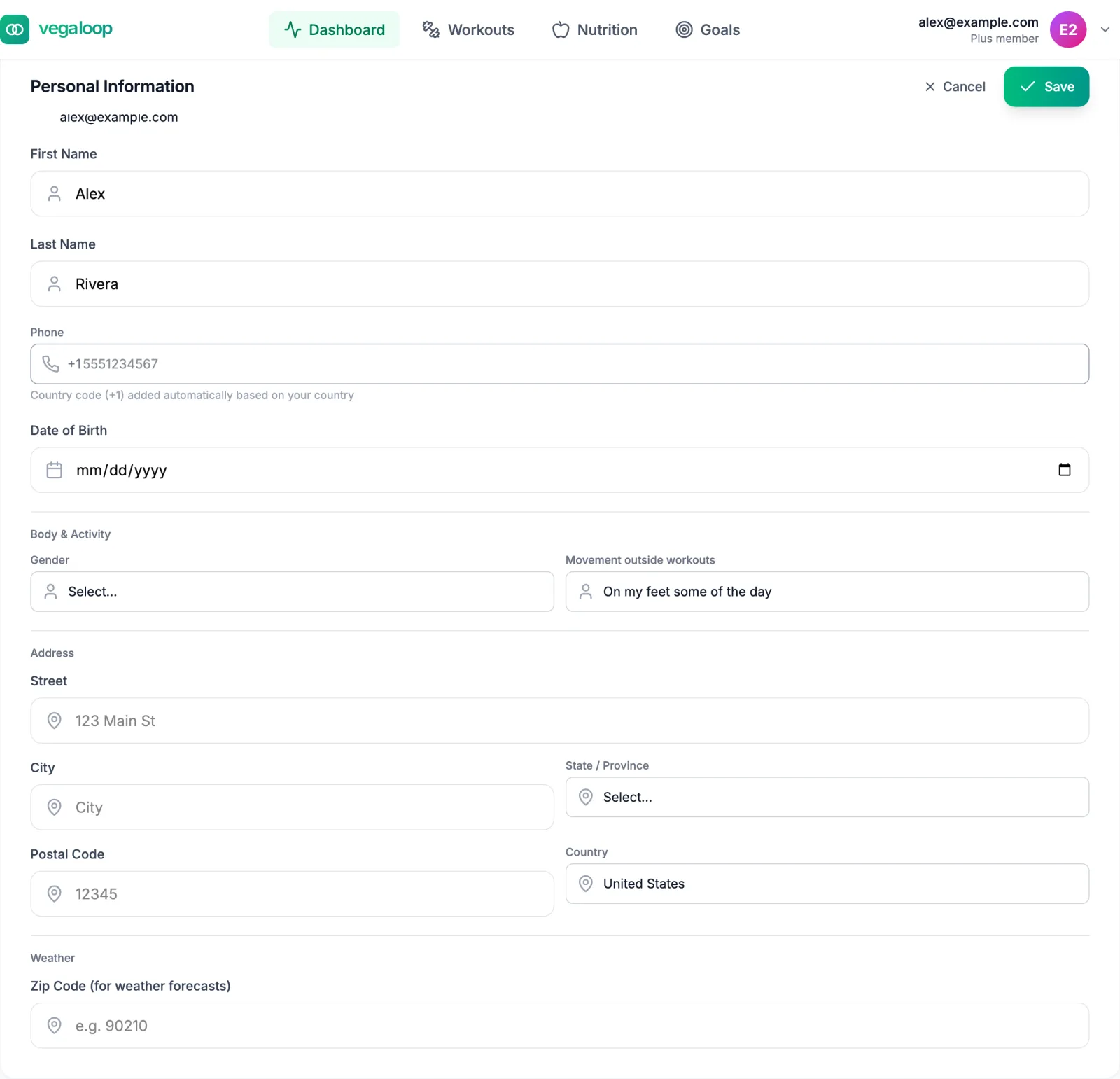
Select Edit, change what you need, then Save. Your email is shown but cannot be changed today, here or by support.
| Field | What it changes |
|---|---|
| Name | The greeting on the dashboard. First and last name, up to 100 characters each. |
| Phone | Stored on your profile. Enter the national number; the country code for the country you pick is added for you. |
| Date of Birth | Age goes into the resting energy estimate and the default maximum heart rate. Cannot be in the future. The setup wizard fills it in; change it here if it is wrong. |
| Gender | Male, Female, Non-binary, or Prefer not to say. Goes into the resting energy estimate. |
| Movement outside workouts | How much you move when not training, from Mostly sitting to Physical job. Goes into the calorie target. |
| Address | Street, city, and postal code. Not used for anything today except the ZIP code. |
| Zip Code (for weather forecasts) | A United States ZIP code. Needed for the weather card and the calendar forecast. See Weather is not showing. |
Movement outside workouts has the largest effect on the calorie target of any field here. Training is counted separately as you log and sync it, so pick the option that describes the rest of the day. If you answered an older version of this question, VegaLoop treats it as unanswered and uses the lowest level; answer it again here. See Fuel targets explained.
Sport Fitness Profiles
Heart rate
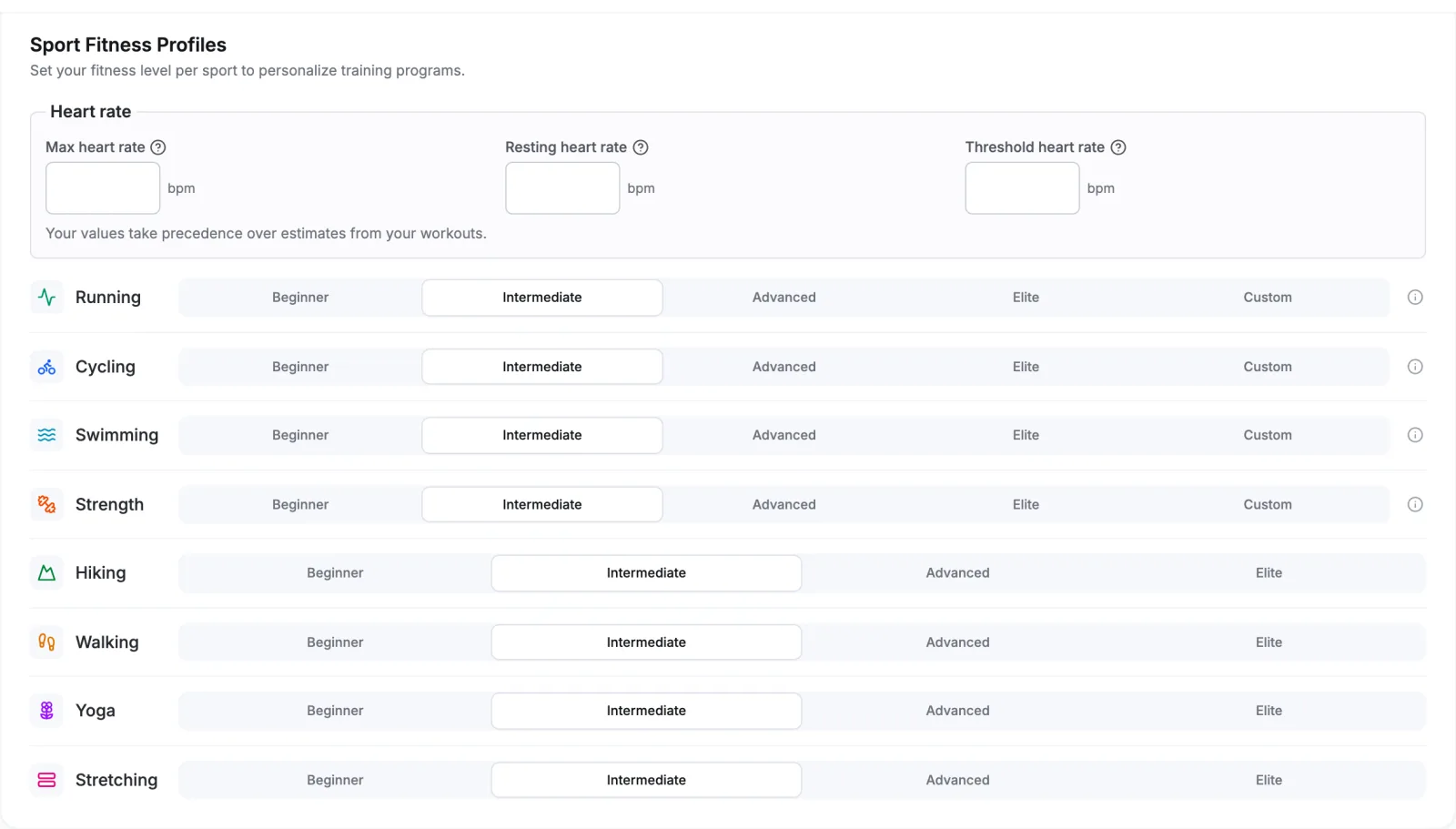
Max, resting, and threshold heart rate in bpm, whole numbers from 30 to 250, with resting lower than threshold and threshold lower than max. Leave them empty and VegaLoop estimates them from your age and your workouts; enter them and your values take precedence. Max heart rate decides how hard a given heart rate counts toward training load, so a value that is too low makes every session look harder than it was.
Level per sport
Beginner, Intermediate, Advanced, or Elite for each sport. Running, cycling, swimming, and strength also take Custom, which opens the measured values:
| Sport | Measured value | Used for |
|---|---|---|
| Running | Effective VO2, from 15 to 85 | Paces in running programs |
| Cycling | Functional threshold power, in watts | Power targets in cycling programs |
| Swimming | Critical swim speed | Swim paces |
| Strength | One-rep maximums for squat, bench, deadlift, and overhead press | Weights in strength programs |
Programs scale their paces, zones, and loads to this level, and a program’s detail page shows which level it is using. Running, cycling, swimming, and strength also offer Schedule a fitness test, which places a test session on your calendar so the value comes from a measurement rather than the level’s default; see Fitness tests and thresholds. Select Save after changes; the page confirms with Fitness profiles saved.
VegaLoop also tracks how confident it is in each sport profile: low with fewer than 3 data points, medium up to 9, high from 10. More completed sessions in a sport make its program pacing more accurate.
Biometrics
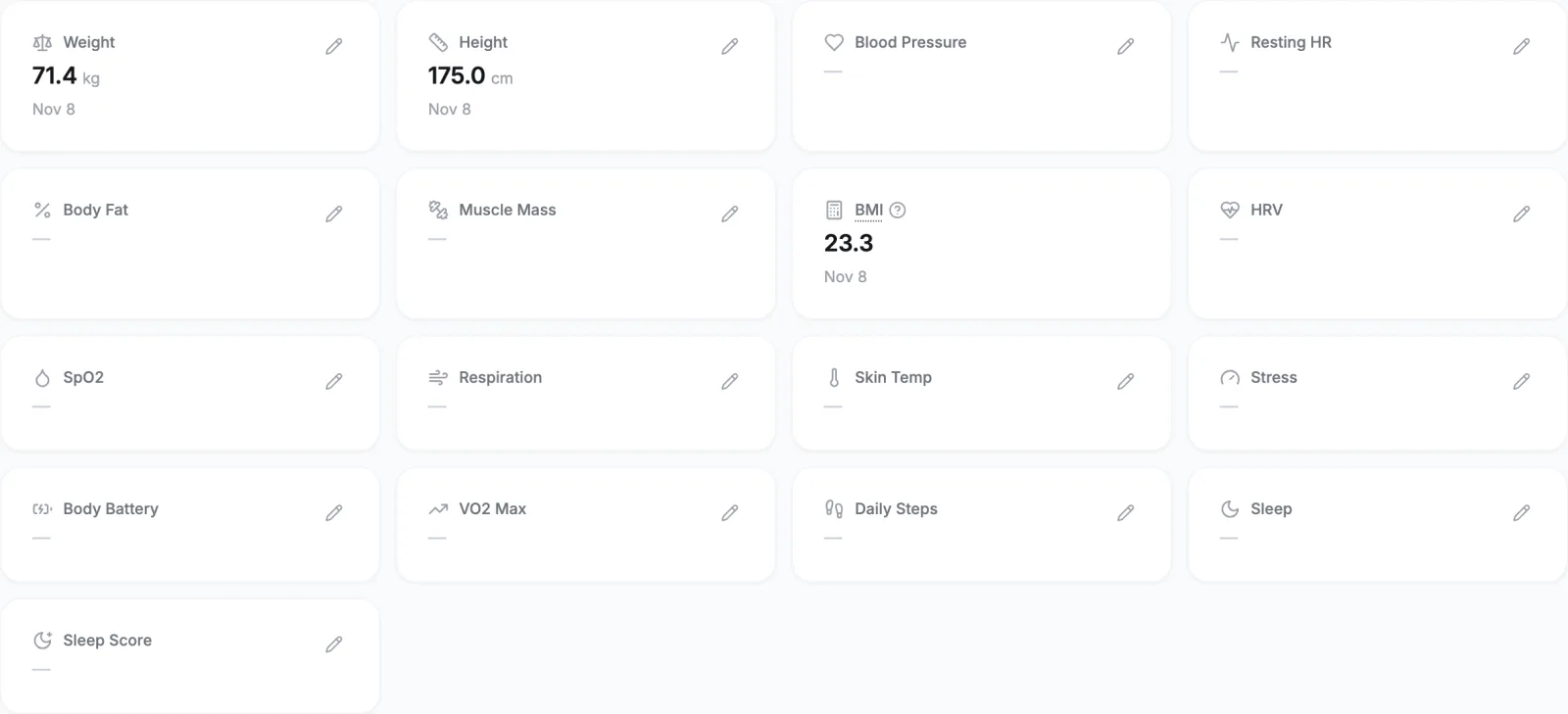
Each tile shows the latest value and when it was recorded. Connected devices fill most of them in automatically. The pencil on a tile records a new value by hand for Weight, Height, Blood Pressure, Resting Heart Rate, Body Fat %, or Muscle Mass.
Measurements are kept as a history: each entry is added to Recent Measurements and cannot be edited or deleted afterwards. If you mistype, record the correct value; the newest entry is the one the app uses. When two sources report the same measurement (a scale and a watch, for example) the lower-priority copy is tagged Duplicate in the list. BMI is calculated from weight and height and cannot be entered directly. Height on Imperial is entered in feet and inches; there is no stones option for weight.
Accepted ranges: weight 20 to 500 kg (or the equivalent in lb), height 50 to 300 cm, blood pressure 20 to 400, resting heart rate 20 to 300 bpm, body fat 0 to 100 percent, muscle mass 5 to 300 kg.
Weight can also be logged from the Log Weight quick action on the dashboard, or arrive from a connected Withings scale, Garmin, or Google Health.
Units
Every value is entered in the unit system you chose under Settings, Display, and stored in metric. Switching systems later converts the display; nothing you logged changes.