Log your first day
A day counts toward your streak when you log at least one meal or complete one workout. The four quick actions on the dashboard cover everything else you would log by hand.

Each button opens a panel directly under the row, so you stay on the dashboard. The same actions have fuller versions on the Nutrition and Workouts pages.
Log a meal
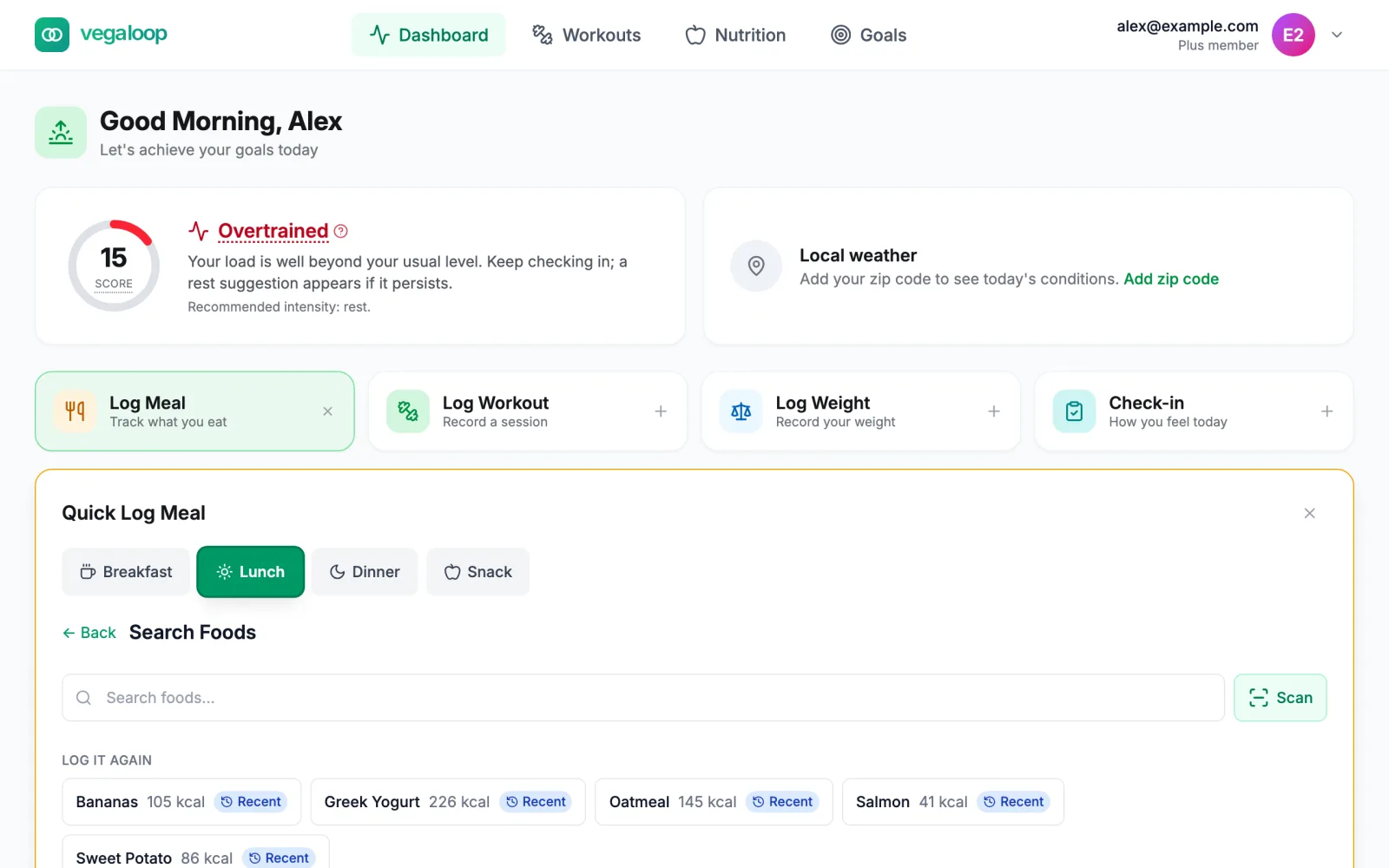
Pick the meal
Breakfast, Lunch, Dinner, or Snack. The one that matches the time of day is selected for you: breakfast until 10, lunch until 14, snack until 16, dinner until 20.
Find the food
- Search foods by name. Results come from the fatsecret database once you have typed two characters. Generic foods come first, then brands.
- Scan reads a product barcode with your camera. Without a camera, type the digits under the barcode and select Look up. See Barcode scanning.
- Log it again lists foods you logged recently, tagged Usual or Recent. One selection repeats it.
- Planned for today lists meals a scheduled meal plan put on today, with a Log button each.
- If nothing matches, Create Custom Food on the Nutrition tab saves your own entry from the label.
Confirm the serving
Pick the serving size and the quantity (any number above zero, decimals included), check the nutrition preview, and select Log Meal. The panel confirms with Logged, the meal slot, and the calories, with Adjust to change the serving, quantity, or slot and Done to close.
Meals can be logged for any day in the last 30 days. Earlier days are refused; see Cannot log or change a meal.
Log water
Select the plus on the Hydration tile. Each press logs one 250 ml glass (about 8.5 fl oz) and the tile updates. The daily water target is under Nutrition Targets in Settings. Water does not count toward the streak.
Log a workout
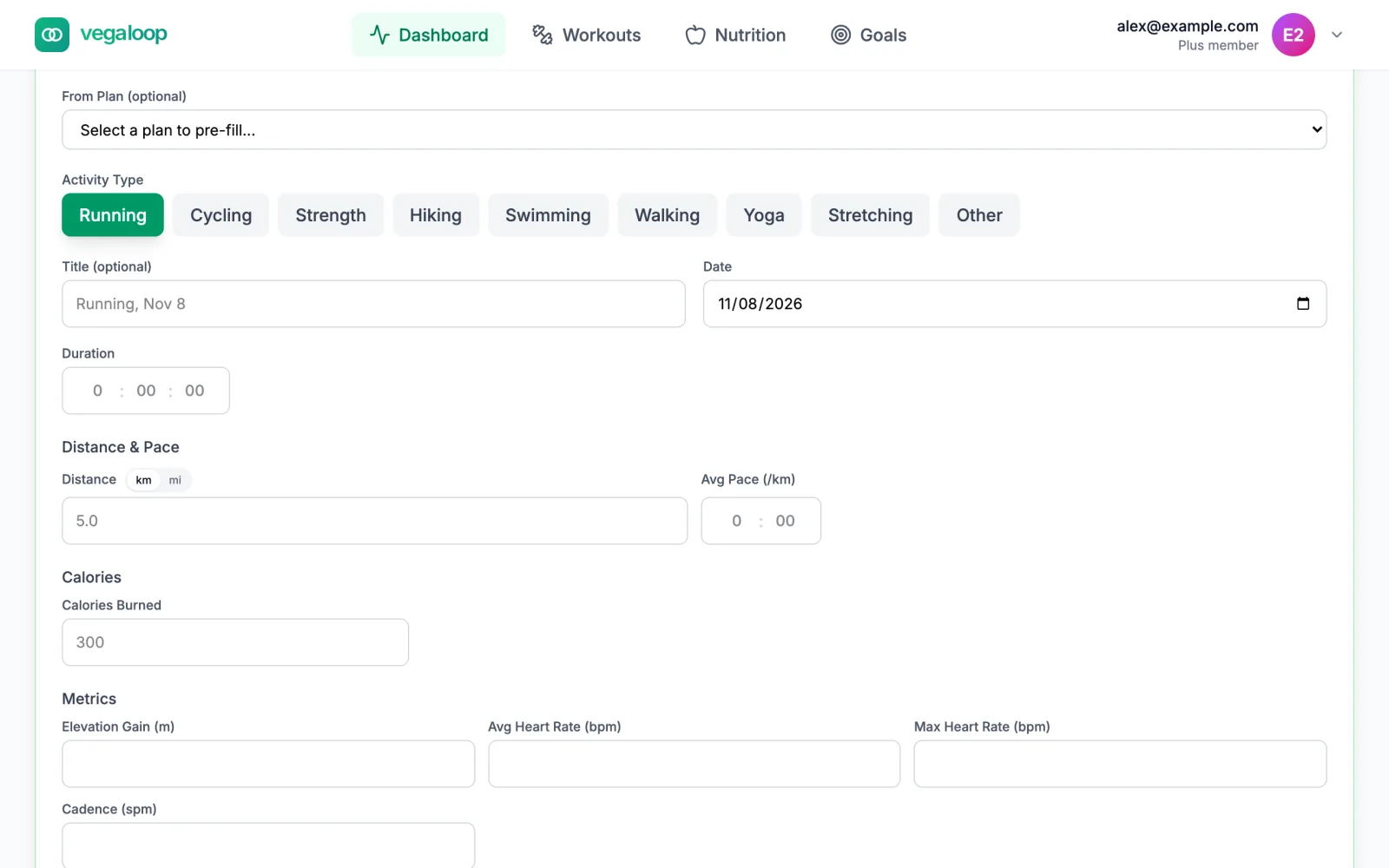
Workouts from a connected device appear on their own, so this is for sessions without a device. Log Workout asks for the activity type, the date, and the duration; distance, heart rate, and perceived effort are optional. Duration must be above zero. The full form under Workouts has more fields; see Workouts and the training calendar.
If a device later sends the same session, the device version replaces yours and keeps your notes.
Log your weight
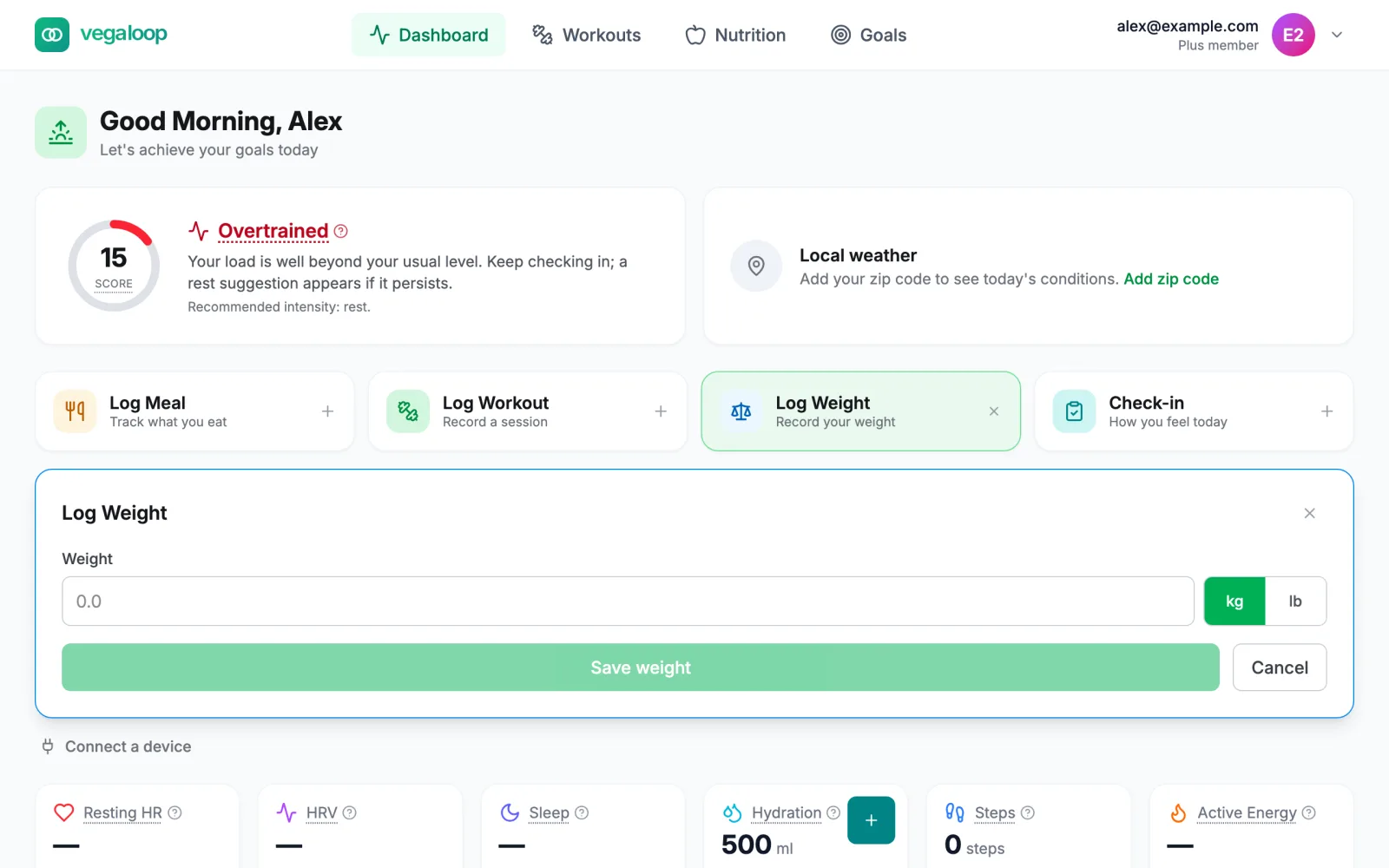
Enter the number, pick kg or lb, and select Save weight. Weight also arrives automatically from a connected Withings scale, Garmin, or Google Health. Every entry is kept as a measurement in your profile history.
Morning check-in
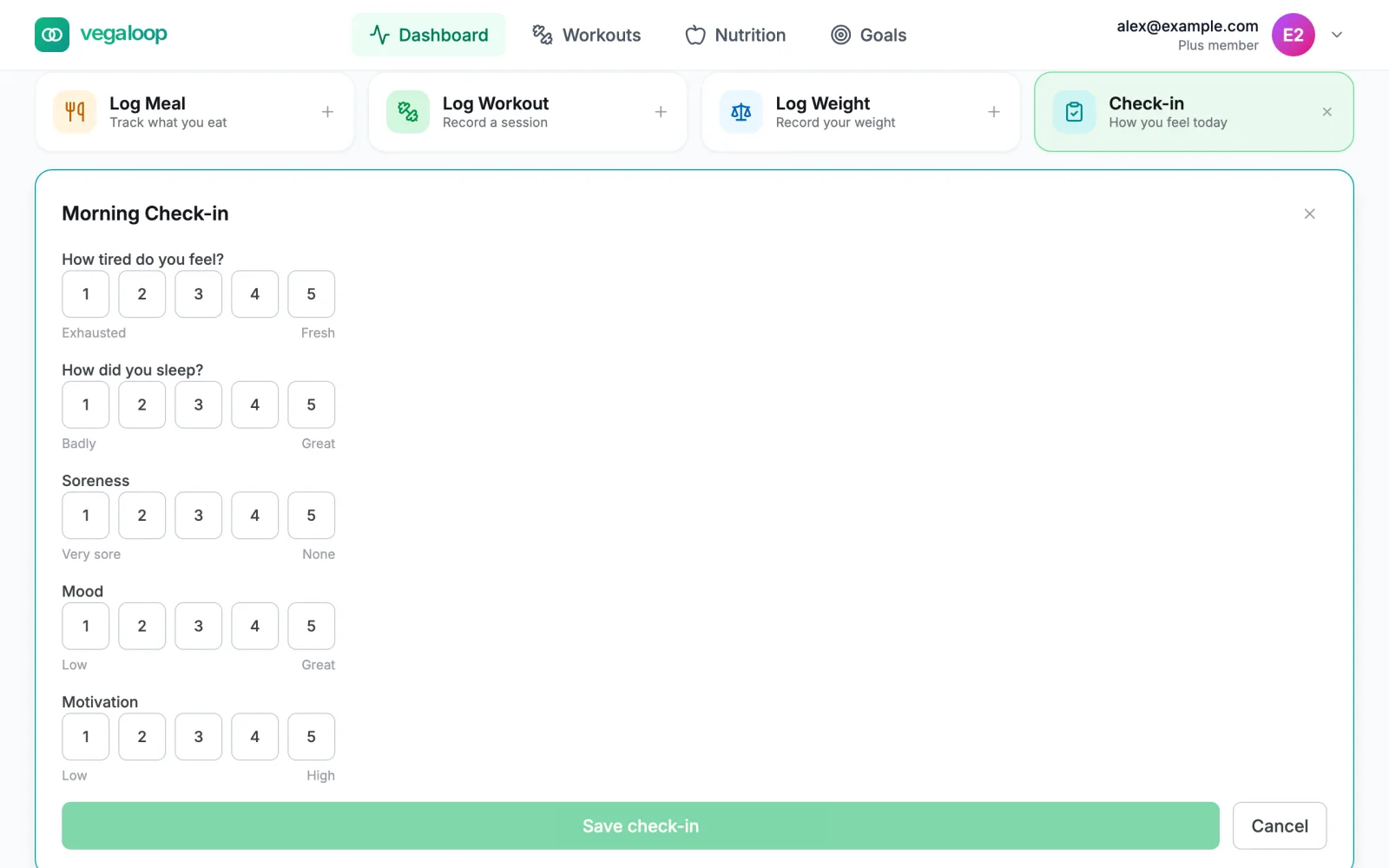
Check-in asks five questions on a 1 to 5 scale: how tired you feel, how you slept, soreness, mood, and motivation. If a connected device already reported last night’s sleep, the sleep question is replaced with Sleep came from your device, so we won’t ask. One check-in per day; saving again overwrites it. See Check in every morning.
What you will see afterwards
- The Recent Activity feed at the bottom of the dashboard lists each entry. Meals have Adjust and Delete; workouts have Delete. A manual workout cannot be edited afterwards, so if the duration is wrong, delete it and log it again.
- Entries are filed on the day in your Settings timezone. A new account is on UTC until the setup wizard or Settings sets it, so check Settings, Display before your first evening meal; see Entries show on the wrong day.
- Today’s Macros and the Nutrition tracker show the meal against the day’s target.
- The workout lands on the training calendar and counts toward weekly minutes and training load.
- Recent Achievements shows First Meal and First Workout once you have one of each, and the streak counter starts.
Next
Choose your plan to see what Free includes and what Plus adds.