Choose your plan
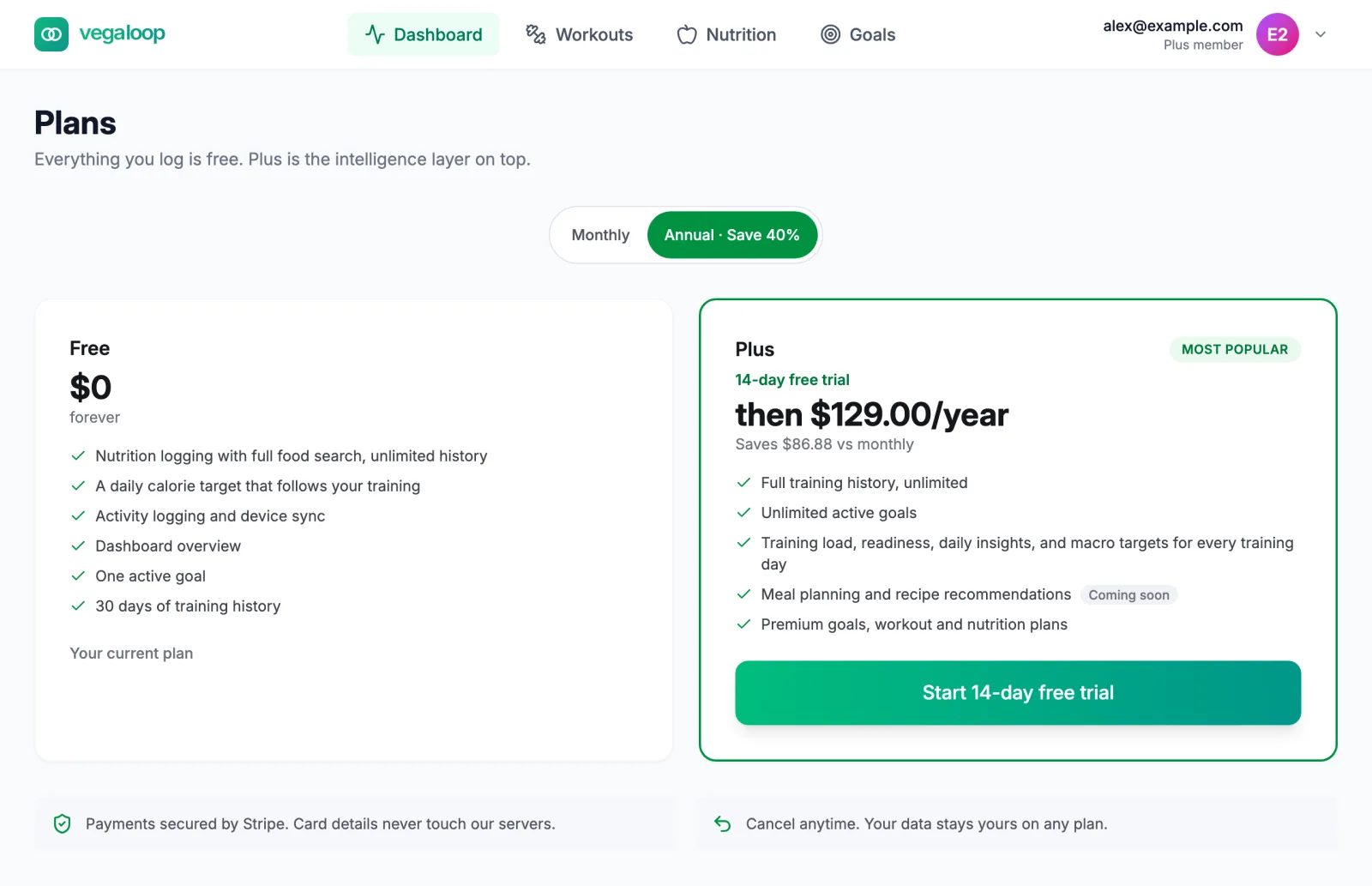
Free
Free costs nothing and does not expire. The Plans page lists it as:
- Nutrition logging with full food search, unlimited history
- A daily calorie target that follows your training
- Activity logging and device sync
- Dashboard overview
- One active goal
- 30 days of training history
Streaks, achievements, the morning check-in, recipes and meal plans, and data export are also free, although the Plans page does not list them. The full comparison is in Free and Plus at a glance.
Plus
The Plans page lists Plus as:
- Full training history, unlimited
- Unlimited active goals
- Training load, readiness, daily insights, and macro targets for every training day
- Meal planning and recipe recommendations, marked coming soon
- Premium goals, workout and nutrition plans
Your logged data is kept on either plan. If you move from Plus back to Free, nothing is deleted: training history older than 30 days is hidden until you return.
Current prices are on vegaloop.com/pricing and on the Plans page, which shows a monthly and an annual price with the annual saving. Tax is added at checkout where it applies. Your price does not change while you stay subscribed; see Billing policies.
Trial and checkout
Open Plans from the Upgrade button in the header or at app.vegaloop.com/pricing. The Plus button reads Start free trial with the trial length, or Upgrade to Plus when no trial applies. The trial length is set per price, so the monthly and annual options can differ; the button tells you.
Checkout is hosted by Stripe and needs a card even for the trial. Card details never touch VegaLoop’s servers. When you return, the app shows Welcome to Plus! Your upgrade is processing. and refreshes your plan; Plus usually unlocks within seconds and can take up to an hour. If you backed out it shows Checkout canceled, no changes made.
You pay nothing during the trial, and cancelling before it ends means you are never charged. The first charge lands when the trial ends.
Billing in Settings

Billing in Settings shows your plan, a status chip, and the next date: Renews while the subscription continues, or Access until after you cancel.
| Status | Meaning |
|---|---|
| active | Paid and renewing. |
| trialing | In the free trial. |
| past due | A payment failed. Plus stays on for a grace period while Stripe retries; update the card in the portal. |
| canceled | You cancelled. Plus continues until the Access until date. |
| expired | The paid period ended. The account is on Free. |
Manage billing opens the Stripe customer portal, where you change the card, download invoices, switch between monthly and annual, and cancel. Free accounts see See Plus plans instead.
Cancelling
Cancel in the Stripe portal from Manage billing, or by email to support@vegaloop.com. Plus stays active until the end of the period you already paid for, then the account moves to Free with everything you logged intact. Cancelling does not refund the current period. If something went wrong with a purchase, the Terms allow a written refund request within 30 days, decided at VegaLoop’s discretion; see Billing policies. Deleting your account does not cancel a subscription by itself; see Your account and data.
The paywall
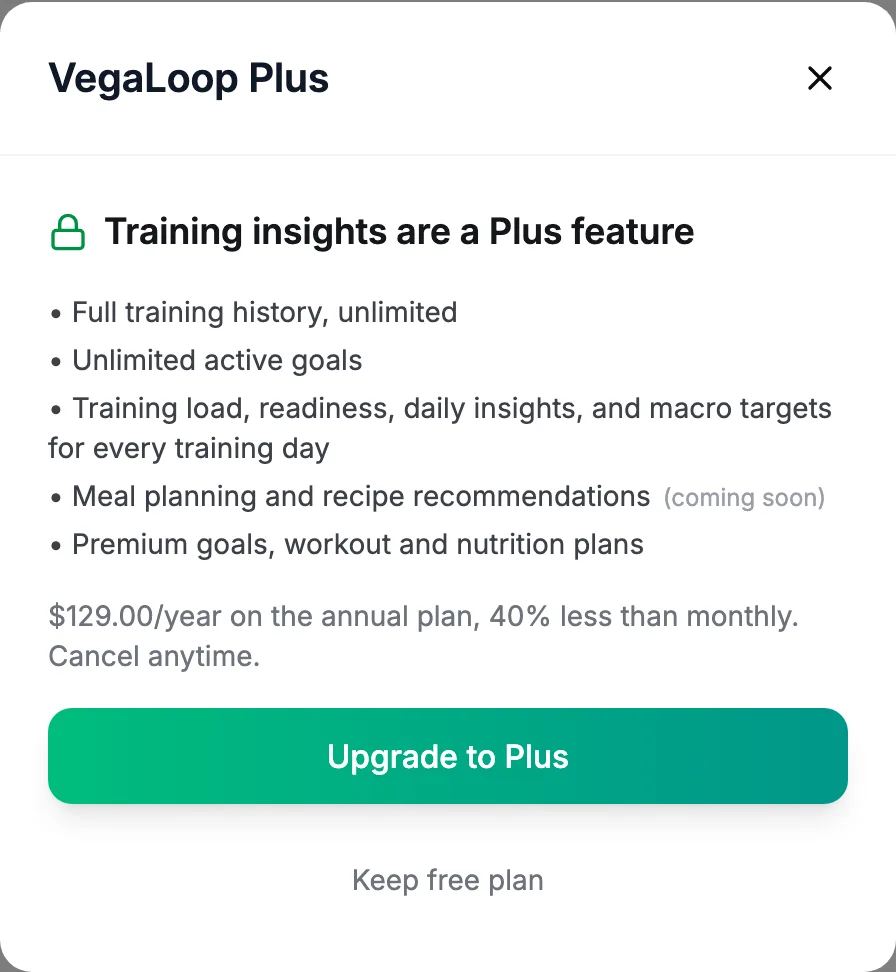
Selecting a locked feature on Free opens this dialog with the reason (training insights, more active goals, full history, meal planning, or Plus content) and the annual price. Upgrade to Plus starts checkout for the annual plan; See plans or Keep free plan closes it.
Redeem a code
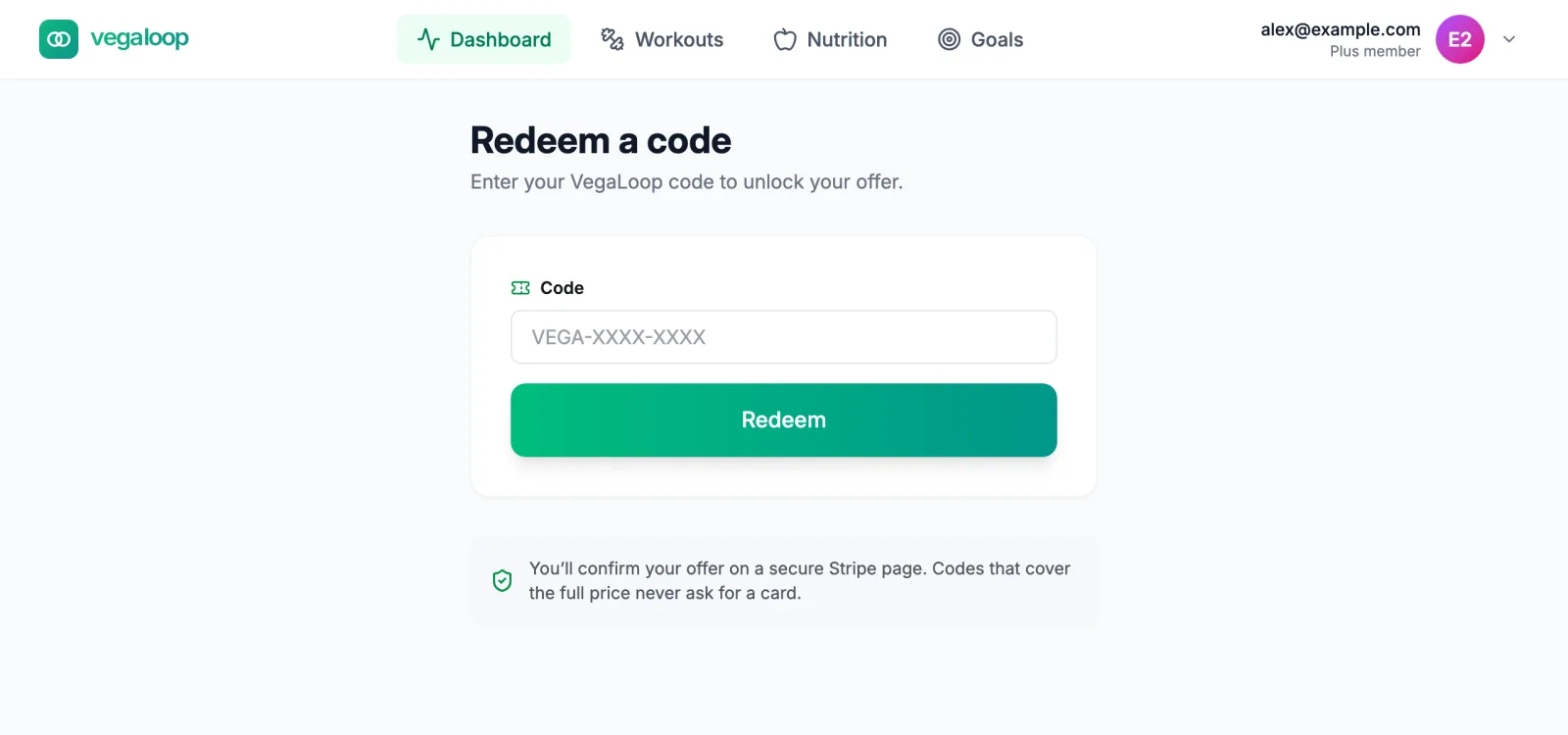
If you were given a VegaLoop code, enter it at app.vegaloop.com/redeem. Codes contain letters, numbers, dashes, and underscores. Redeem opens a Stripe checkout for the monthly plan with the code already applied, so you confirm the offer on Stripe’s page; a code that covers the full price never asks for a card. The result is an ordinary monthly subscription you manage from Billing. Some codes apply only to the annual plan; the page then says This code can’t be redeemed here, enter it at checkout from the Pricing page instead, and you enter it on Stripe’s page after choosing Annual. Codes that have expired or been used are refused, and an account that already has a subscription cannot redeem one.
If you have paid but Plus features still look locked, see Plus features still locked.